
How to Set Up Reviews
Once your Google Business Profile is connected, your reviews come into AgentMoves and an AI agent can reply to your 5-star reviews for you, in your name. Setup has two parts. Part 1 connects your Google Business Profile. Part 2 sets up the AI agent. In Part 2 the only thing you type yourself is your business name.
Part 1: Connect your Google Business Profile
Prefer to watch? This walkthrough covers every step in Part 1. Open the walkthrough in a new tab
Step 1a: Start on the overview page
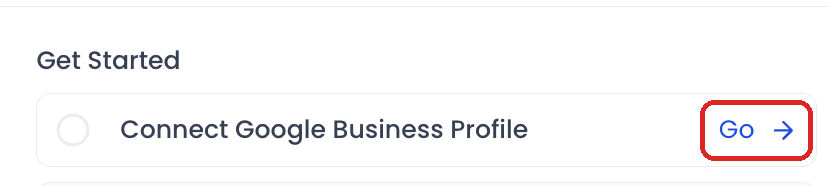
On the overview page, under Get Started, click Go next to Connect Google Business Profile.
Step 1b: Connect your Google account first
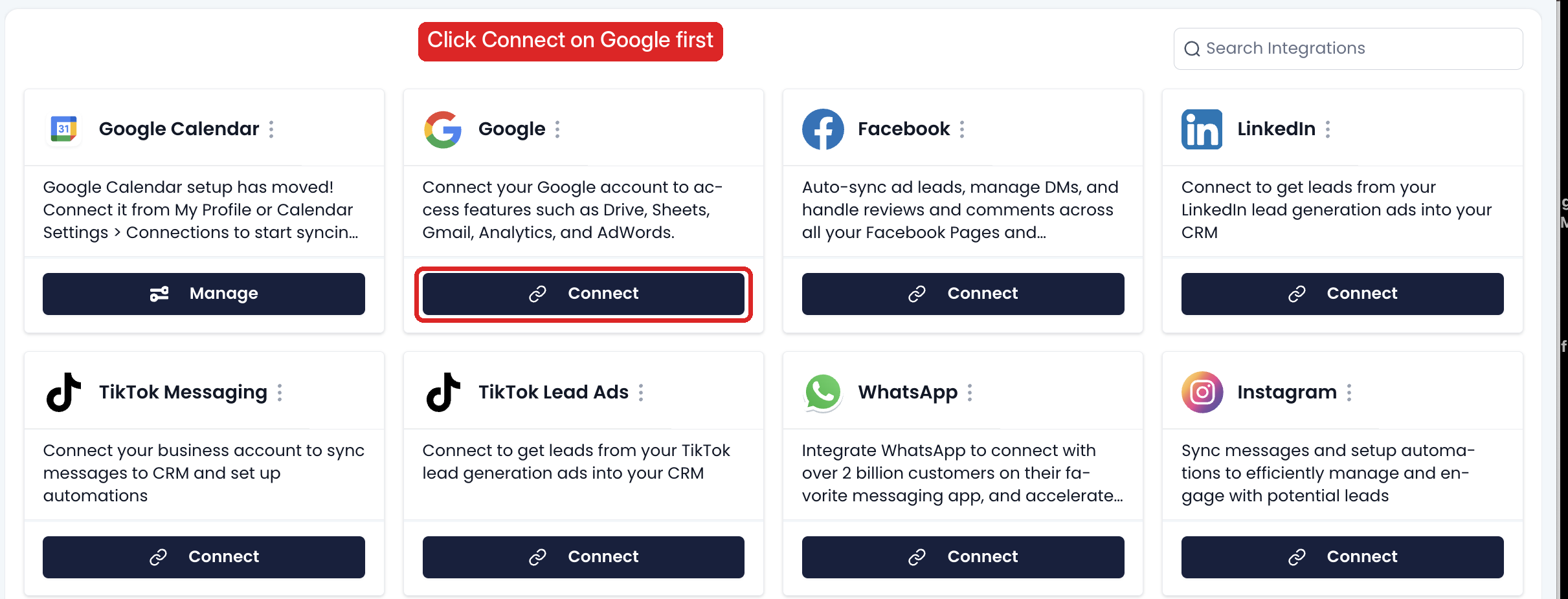
You land on the Integrations page. The Google Business Profile option only appears after your Google account is connected, so click Connect on the Google card first.
Step 1c: Sign in to Google
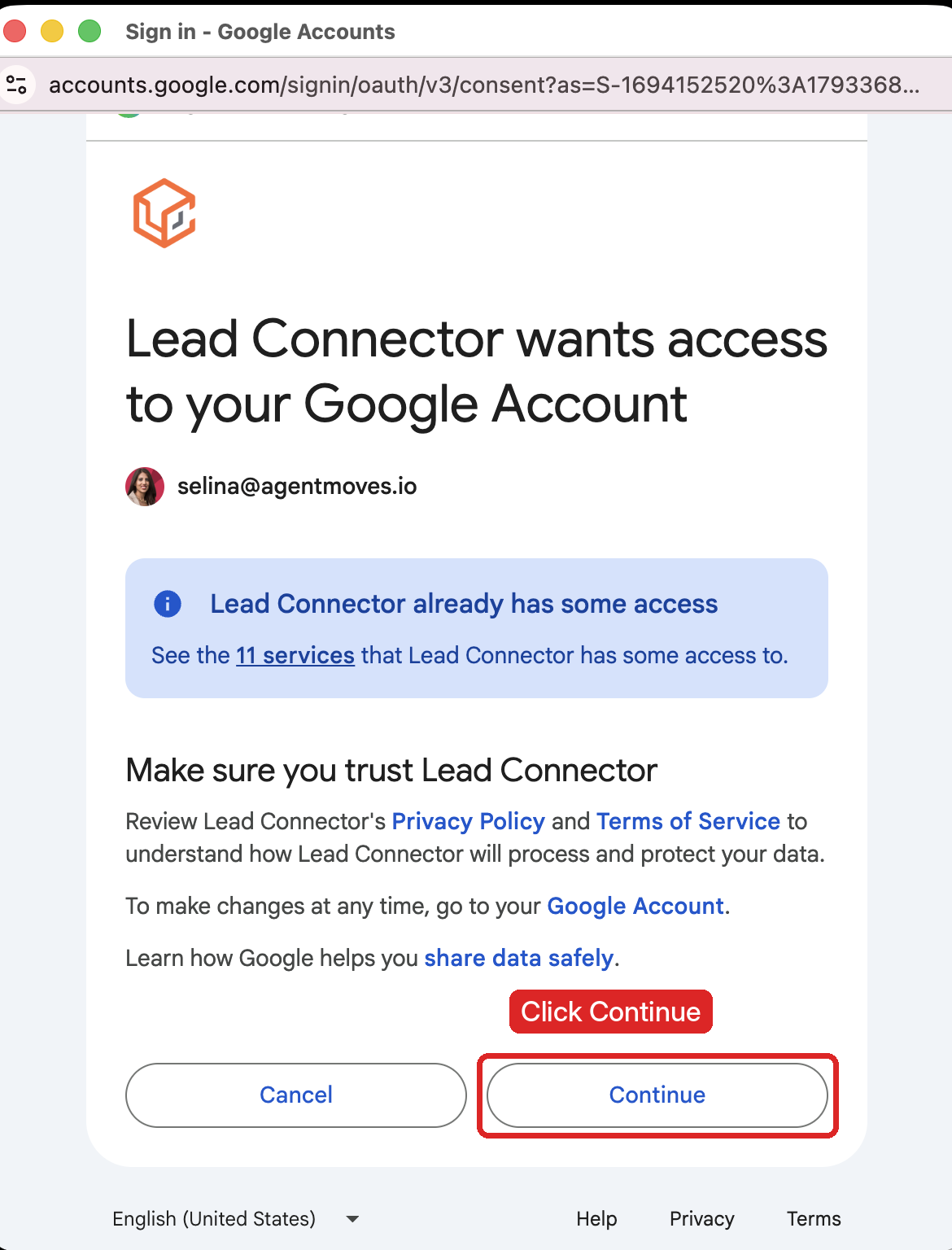
Sign in with the Google account that manages your Business Profile. Google is strict about security right now, so it may ask you to create a passkey or scan a QR code. Follow its prompts. When you reach the screen that says Lead Connector wants access to your Google Account, click Continue.
Step 1d: Find Google Business Profile
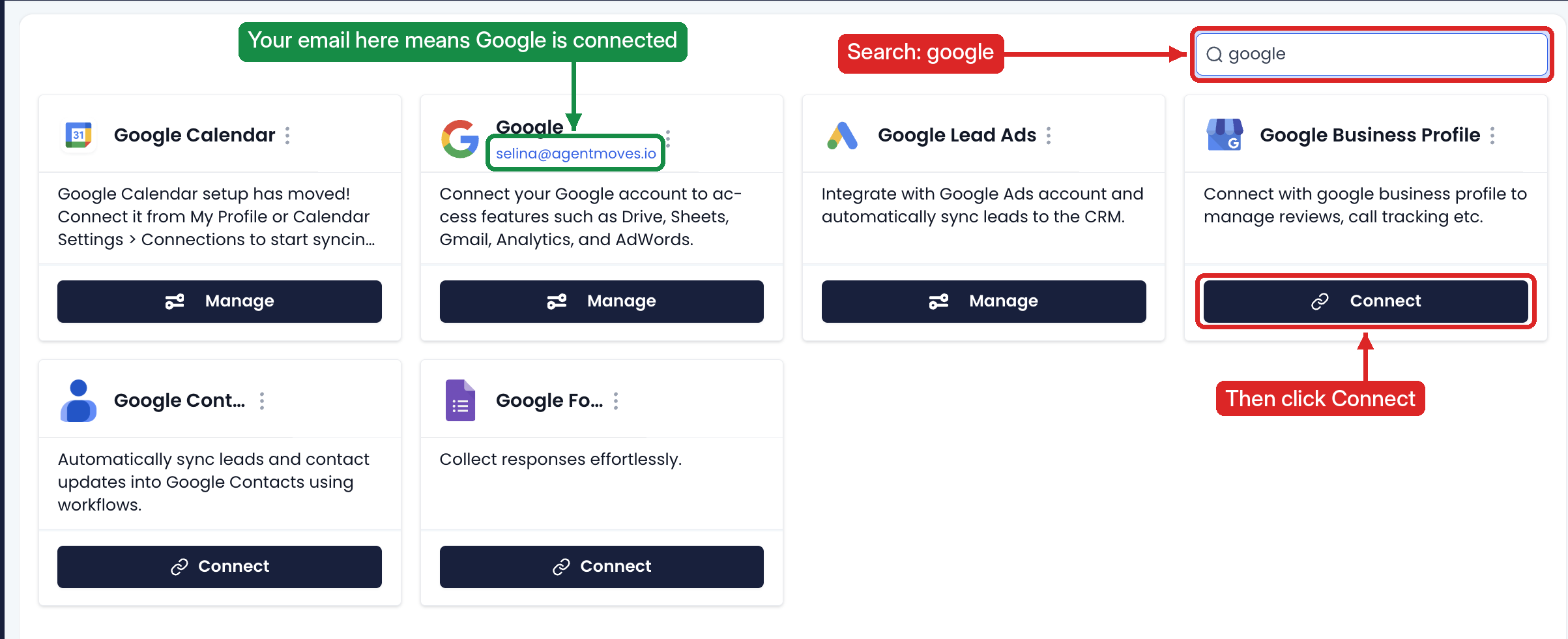
You're connected when your email address shows under the Google card. Type google in the search box at the top right, then click Connect on the Google Business Profile card.
Step 1e: Pick your page
Check the box next to your Google Business page, turn on GBP Call Tracking, and click Connect.
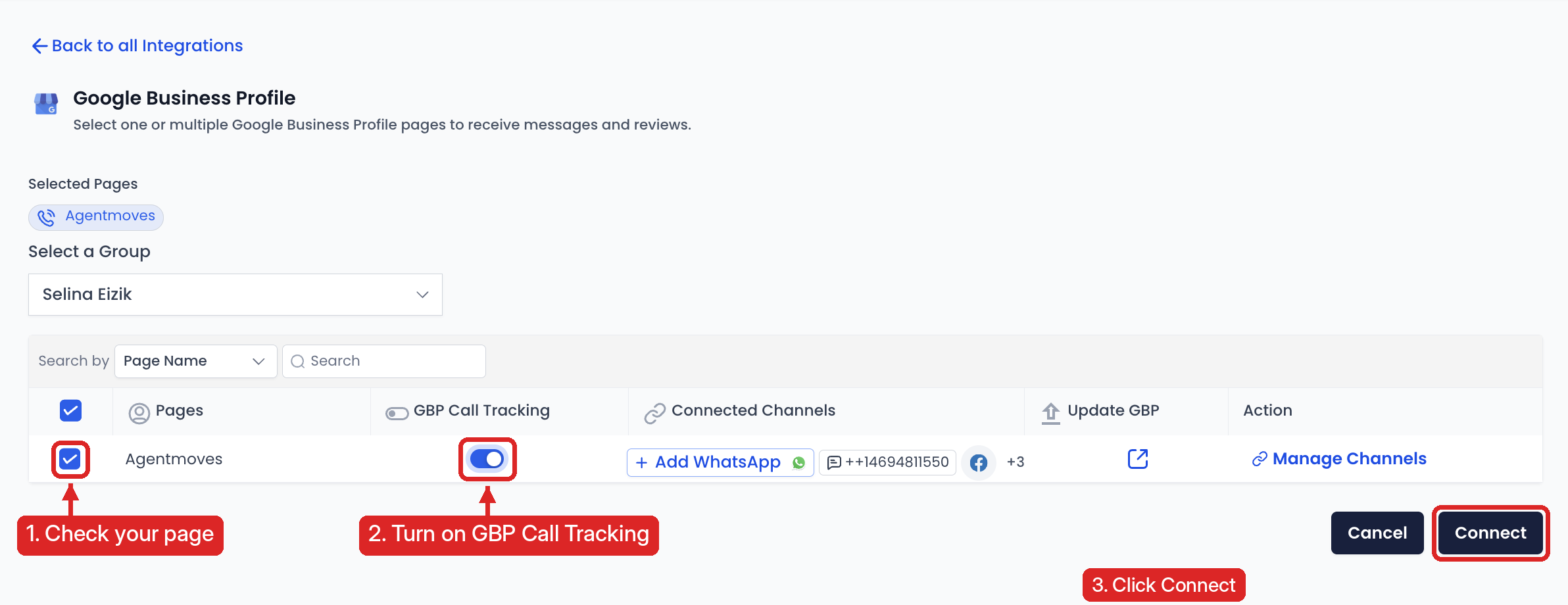
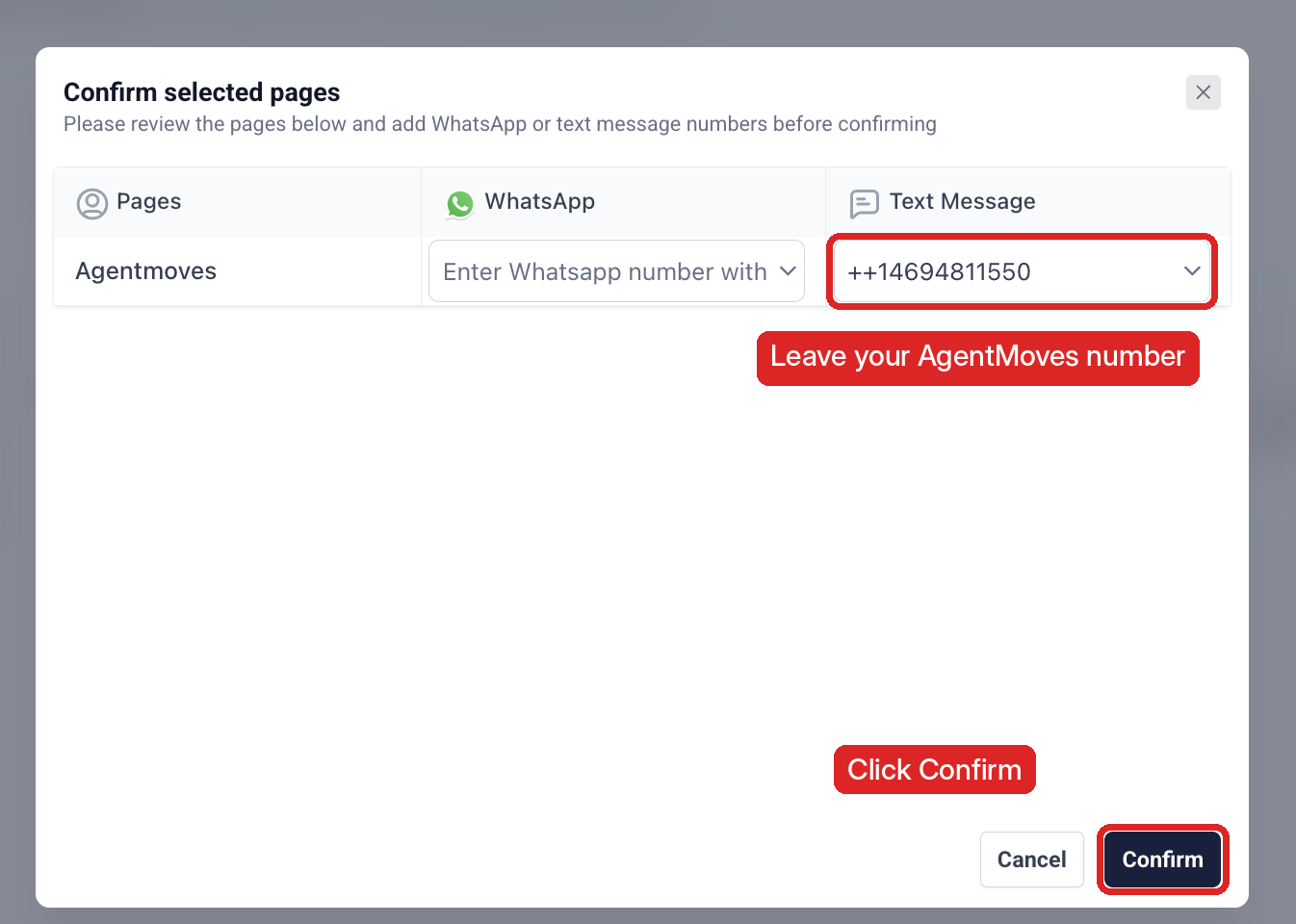
Step 1f: Confirm your number
If a box asks for phone numbers, leave the Text Message number as it is. That's the AgentMoves number you purchased. Leave WhatsApp blank and click Confirm.
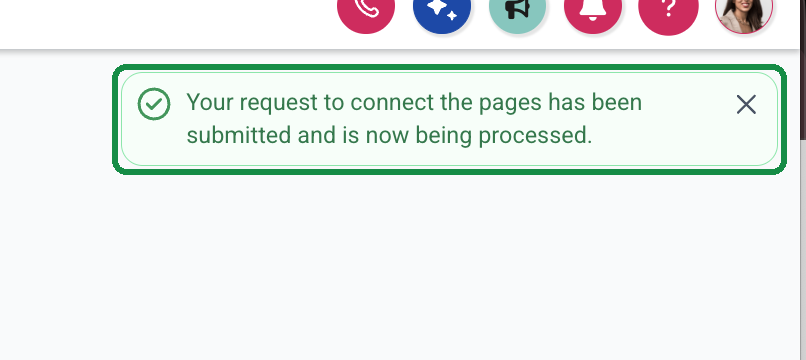
Step 1g: You're connected
A message at the top right says your request has been submitted and is being processed. That means Part 1 is done.
Part 2: Set up your AI review response agent
Go to Reputation, then Settings, open the Reviews AI tab, and click Create Agent. The agent has four tabs. Fill them in as shown below.
Step 2a: General tab
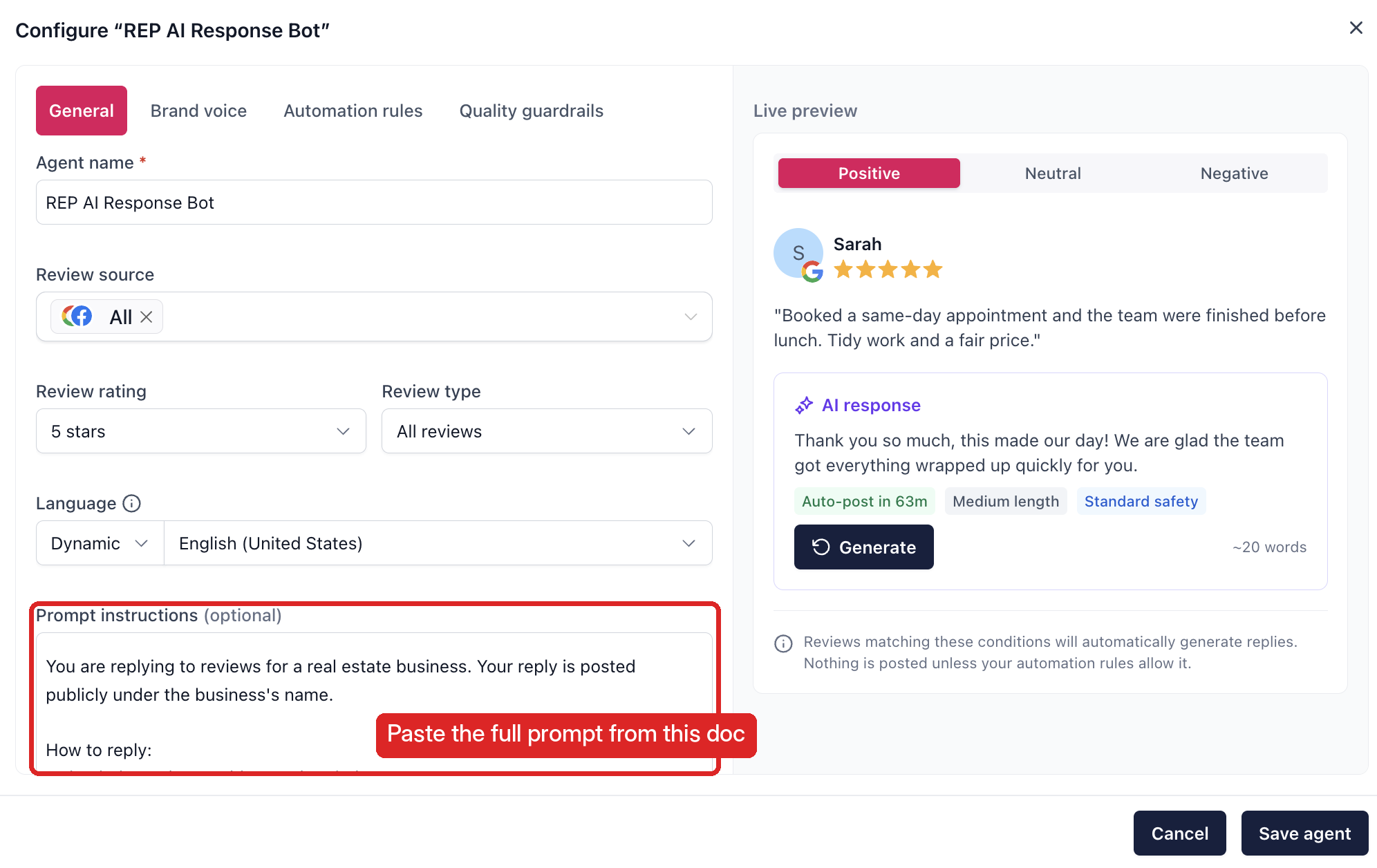
Field | What to enter |
|---|---|
Agent name | AI Review Response Bot (any name works) |
Review source | All |
Review rating | 5 stars |
Review type | All reviews |
Language | Dynamic, English (United States) |
Prompt instructions | Copy the full prompt below and paste it in |
The prompt to paste. Copy everything in the box and paste it into Prompt instructions. Don't change any of it.
You are replying to reviews for a real estate business. Your reply is posted publicly under the business's name.
How to reply:
- Thank the reviewer without using their name.
- Mention one specific detail from their review so the reply could not be pasted under any other review. If they mentioned the kind of help they got (selling, buying, downsizing, relocating) or a city or neighborhood, you may repeat it using their exact words. Never add services, places, people, or facts the reviewer did not mention.
- If they mentioned a seminar, workshop, or planning topic (such as capital gains, a trust, a 1031 exchange, or senior living), you may name it using their words. Never explain the topic, describe tax or legal outcomes, or suggest savings.
- For a rating with no written review, reply with a short, warm thank you.
Privacy and compliance:
- Never mention or confirm a property address, sale price, offer terms, financing, closing dates, or commission.
- Never repeat personal details such as a death, divorce, illness, finances, or family situation, even if the reviewer mentioned them. Acknowledge the moment in general terms, such as "a big transition" or "a difficult time."
- Follow fair housing rules. Never describe a neighborhood, school, or area by who lives there or by safety, and never refer to anyone's race, religion, national origin, sex, disability, or family status.
- Never give legal or tax advice.
Style:
- No hashtags, emojis, links, phone numbers, or sales pitches, and do not ask for referrals.
- Do not use dashes to join phrases. Use commas or periods.
- Do not ask follow-up questions.
Step 2b: Brand voice tab
This is the only tab where you type something of your own: your business name.
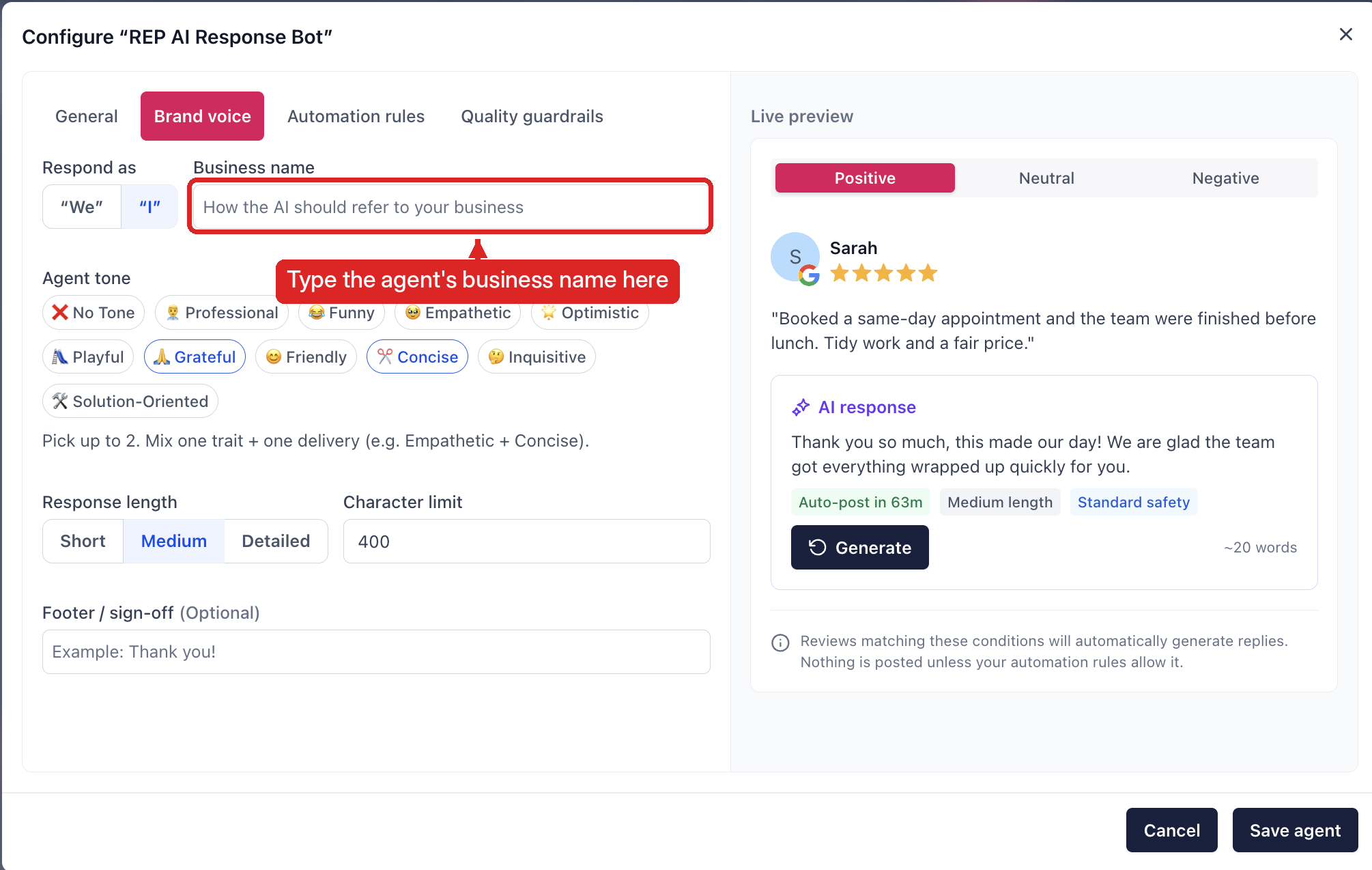
Field | What to enter |
|---|---|
Respond as | Your choice: "I" if you work solo, "We" if you are a team |
Business name | Your business name, written exactly as it shows on your Google Business Profile |
Agent tone | Grateful and Concise (click both) |
Response length | Medium |
Character limit | 400 |
Footer / sign-off | Leave blank |
Step 2c: Automation rules tab
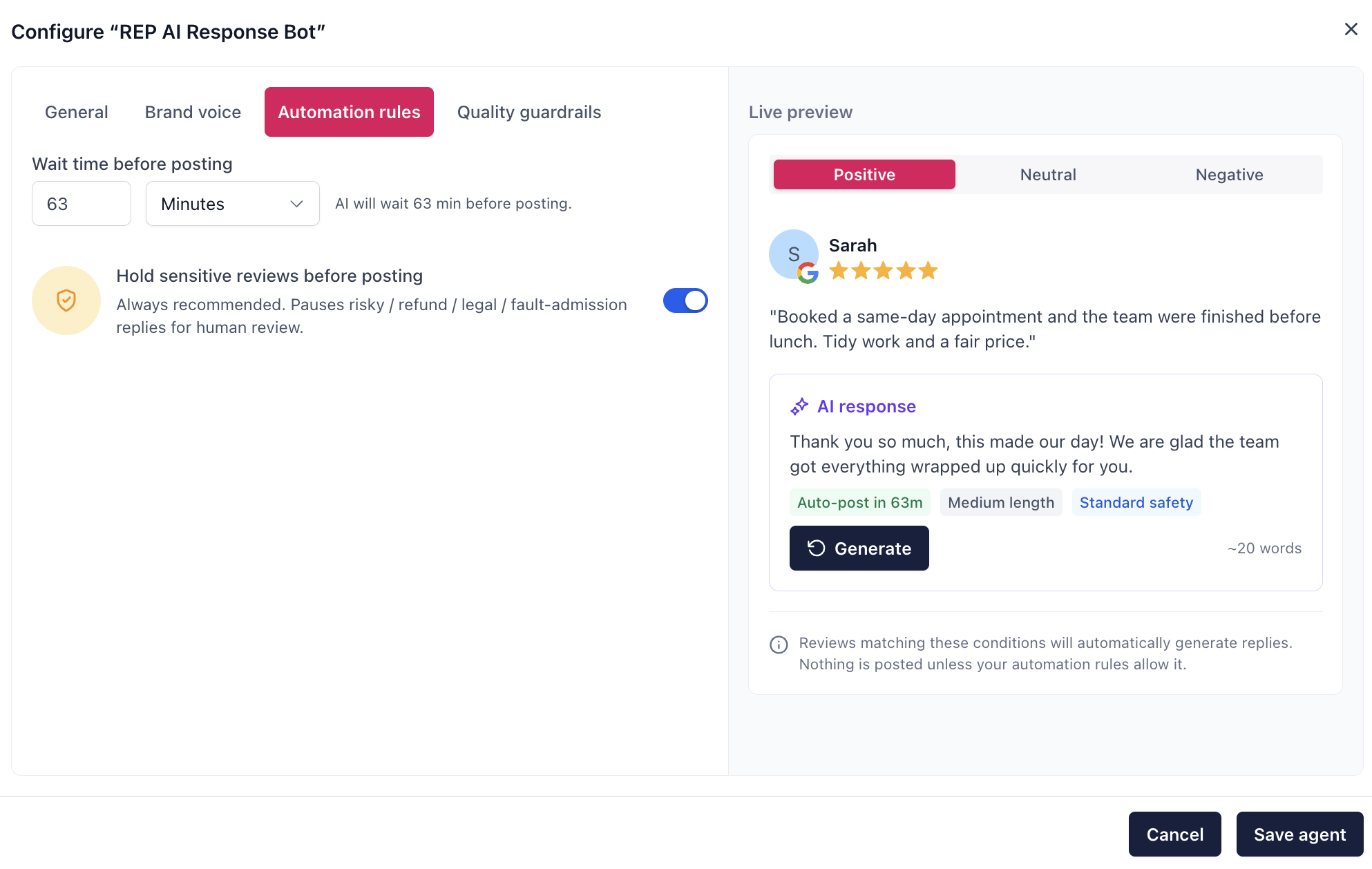
Field | What to enter |
|---|---|
Wait time before posting | 63 Minutes |
Hold sensitive reviews before posting | On (blue) |
The wait means a reply doesn't post the second a review comes in, which looks automated. You also get about an hour to reply yourself if you want to.
Step 2d: Quality guardrails tab
Nothing to change here. All three switches are on by default. Check that Remember recent responses, Avoid the same opening line repeatedly, and Avoid risky language are all blue.
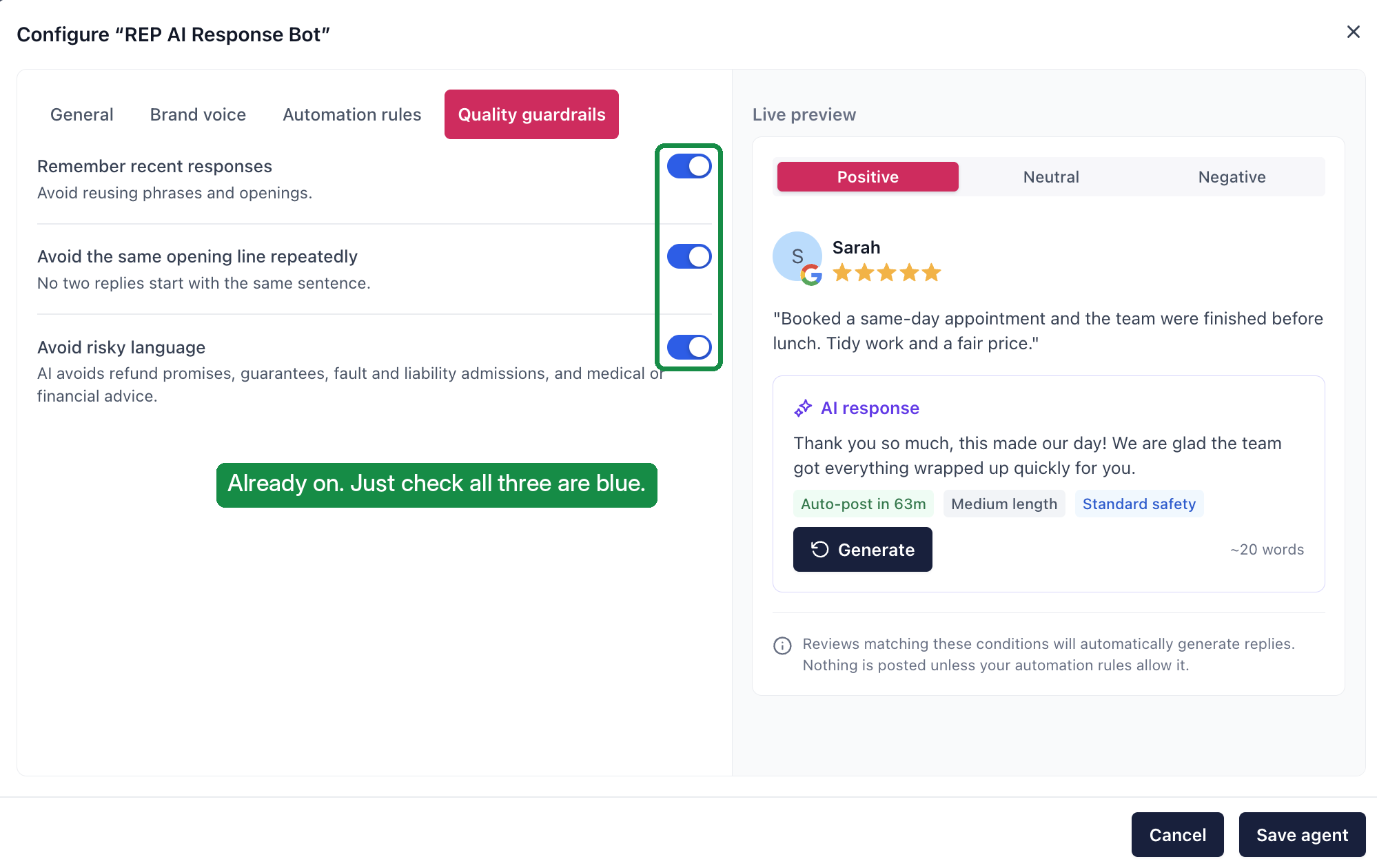
Step 2e: Test and save
Click Generate in the Live preview on the right and read the reply. It should thank the reviewer, mention something from the review, and not use their name. Then click Save agent.
Why only 5-star reviews
A 5-star review needs a warm, specific thank you, and the agent handles that well. Anything lower deserves a personal reply from you, so answer those yourself.
For more on reviews, see the Review Management help articles or check out our full training video: