
Boost Email Deliverability: Avoid Spam Folders
Email Marketing, Deliverability, AgentMoves
How to Send Emails That Land in the Inbox, Not the Spam Folder
When you’re sitting on a list of 50,000 contacts, one wrong move can crush your sender reputation overnight. Use this simple, repeatable AgentMoves playbook to protect deliverability, boost open rates, and turn that giant list into real conversations—not spam complaints.
Step 1: Run Email Validation in AgentMoves Before You Send
The fastest way to damage your sender reputation is to blast emails at invalid, dead, or bouncing addresses. Internet service providers track how many of your messages hard bounce. Too many, and they start treating everything you send as suspicious—even to the good contacts who actually want to hear from you.
That’s why your first move with a 50K list is validation inside AgentMoves. Validation checks each address and flags:
Invalid or malformed emails that will never deliver
Known hard-bounce addresses that hurt your reputation instantly
Dead, abandoned inboxes that drag down engagement metrics
Validation typically runs around $10 per 1,000 emails, and it pays for itself on your first campaign by preventing wasted sends and protecting deliverability. In AgentMoves, you can quickly see what’s already been validated by using the Email Status filter. That lets you:
Identify contacts that are already marked as valid
Isolate addresses that still need validation before sending
💡 Pro Tip: Always validate new imports into AgentMoves before they ever see a campaign. It’s much cheaper to catch bad data early than to recover from a damaged sender score later.
Step 2: Filter Before You Segment—Find Your Real, Sendable Database
Once validation is done, resist the urge to start writing clever subject lines. First, you need to decide who actually belongs in your email audience. In AgentMoves, that means applying a few simple filters so you’re only sending to people you should be emailing at all.
Start with these core filters:
Valid email address: Use the post-validation status so you’re only including confirmed, sendable emails.
Not DND or unsubscribed: Exclude anyone marked Do Not Disturb or who has opted out. Ignoring these flags is a direct path to complaints and spam reports.
In your market area: Filter by city, ZIP, neighborhood, or service area so you’re not emailing people you can’t realistically serve.
For most databases, this alone shrinks a “50,000 contacts” list down to 15,000–25,000 truly sendable contacts. That smaller, cleaner list is your real database. It’s not about how big the number is; it’s about how many people you can consistently reach in the inbox.
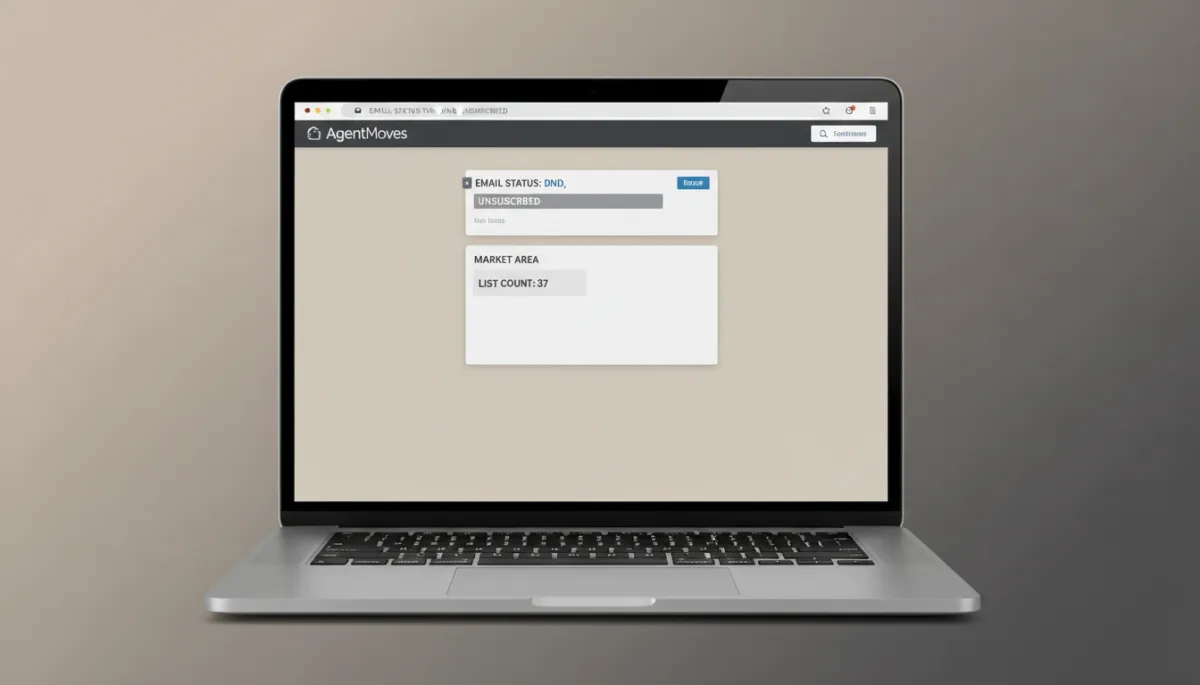
A few smart filters can turn a messy 50K list into a focused 23K audience.
Step 3: Segment Within the List for Relevant Messaging
Now that you’ve found the people you can email, decide what each group should receive. Not everyone in your database is at the same stage of the relationship, and blasting a single generic message to all of them is a guaranteed way to lower opens and increase spam complaints.
Inside that filtered list, create segments like:
Past clients: Recent buyers and sellers, plus your inner circle of repeat clients and raving fans.
SOI (Sphere of Influence): Friends, family, vendors, and fellow agents who know you personally.
Active buyers vs. active sellers: People currently searching or listing, who need timely, market-specific information.
By city or neighborhood: Localized segments so you can speak directly to what’s happening in their area.
By lead source: Zillow, open houses, online forms, referrals, and more—each with different expectations and context.
A past client who closed with you last year doesn’t want the same “Are you still looking?” email you’d send a Zillow lead from last month. Segmentation lets you adjust tone, offer, and timing so each group feels like you’re talking to them, not shouting at a crowd.
📌 Key Takeaway: Better segmentation almost always leads to higher open rates, more replies, and fewer spam complaints—because relevance is the best deliverability tool you have.
Step 4: Send Warmest First, Coldest Last to Build Reputation
Email providers don’t just look at who you send to; they watch what happens after you hit send. High open and reply rates tell them, “People like these emails—let them through.” Low engagement and spam complaints send the opposite signal.
That’s why you should always send in this order, from warmest to coldest:
Past clients: They know you, trust you, and are most likely to open and reply—perfect for boosting early engagement.
SOI: Friends, family, and professional contacts who recognize your name in their inbox.
Engaged leads (last 90 days): Anyone who has opened, clicked, or replied recently.
Older leads (90 days to 12 months): Warm-ish, but not as hot as your current pipeline.
Cold contacts: The “earned” segment you haven’t heard from in a long time. Save these for last and only approach them with a clear, compelling reason to re-engage.
By the time you reach your coldest contacts, your sender reputation is already warmed up from strong engagement with your best relationships. That alone can be the difference between inbox and spam for the rest of your sends.
Step 5: Throttle the Sends Instead of Blasting Everyone at Once
Even after validating, filtering, and segmenting, you still don’t want to drop 20,000+ emails in one giant blast. Huge, sudden spikes in volume look risky to inbox providers, especially if your usual sending volume is much lower. Throttling keeps your sending pattern looking natural and controlled.
A safe approach is to send in waves of 2,000–5,000 emails per hour, or to spread the campaign across 2–3 days by segment. For example:
Day 1: Past clients and SOI, in smaller batches throughout the day.
Day 2: Engaged and recent leads, again in controlled waves.
Day 3: Older and cold contacts, only after strong engagement from earlier sends.
AgentMoves handles the technical side of throttling for you, so you’re not manually scheduling thousands of tiny batches. Your job is to choose the right segment order and keep your warmest contacts at the front of the line.
⚠️ Warning: A single, unthrottled blast to your entire list can undo months of careful reputation-building. Slow and steady wins the inbox.
The Short Version: A Simple Playbook You Can Reuse
If you remember nothing else, remember this sequence every time you plan a campaign in AgentMoves: validate, filter, segment, send warm to cold, and throttle.
Validate to remove bad addresses before they hurt you.
Filter to find the people you should actually be emailing.
Segment so each group gets a message that matches their relationship with you.
Send warmest first to build a positive engagement signal early.
Throttle to keep volume sane and your sender reputation safe.
Follow this playbook, and that intimidating 50K list turns into a reliable, revenue-producing asset—one that consistently lands in the inbox, earns attention, and keeps your brand trusted by both your contacts and the inbox providers that guard their mailboxes.


