
HelpCenter
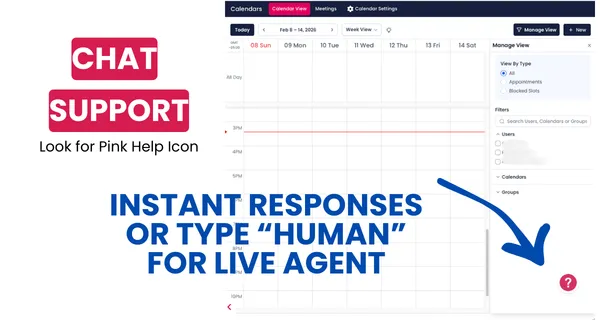
INSTANT SUPPORT IN PLATFORM
Looking for more support? Click on the pink help icon for instant chat support. Just type in "human" at any time if you need more help.
Don't forget about your guided in platform marketing support via our training module: Learn the System.
Click here to sign up for the training system.
Click here to navigate other help categories.
Ad Manager: Meta Engagement or Click to Direct Ads
Learn how to use Meta Ads’ Engagement objective to drive conversations on Messenger, Instagram Direct, and WhatsApp with conversation forms and optimized targeting.

How to leverage extra assets within a Google Ads campaign in the Ad Manager
Learn how to add business logos, call extensions, and sitelinks at the campaign level in AgentMoves to boost ad performance and maintain brand consistency.

Ad Manager: Sales Objective for Meta Ads
Learn how to set up a Meta Ads Sales campaign with website or messaging app conversions. Track sales, optimize targeting, and boost results with ease.

Ad Manager: Image Editor for Ad Media
Discover how to edit ad images in Ad Manager with the built-in Image Editor. Crop, add text, apply filters, and preview changes in real time.

Browse our SOPs & Help Guides

















We’re on a mission to bring Fortune 500 marketing power to real estate—so top-producing agents can operate like CEOs, not marketers. With systems that scale, automation that feels personal, and strategy that never sleeps, your marketing runs itself—and your business grows without burnout.
Copyright Searchmoves Inc dba AgentMoves 2026
All Rights Reserved