
HelpCenter
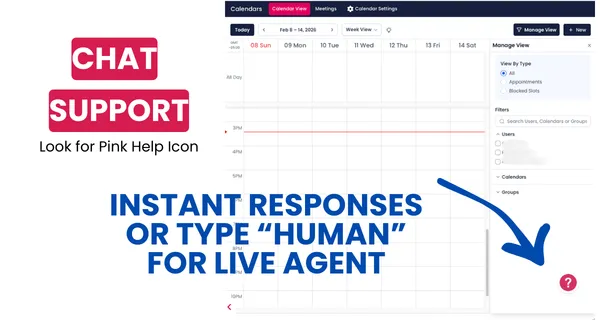
INSTANT SUPPORT IN PLATFORM
Looking for more support? Click on the pink help icon for instant chat support. Just type in "human" at any time if you need more help.
Don't forget about your guided in platform marketing support via our training module: Learn the System.
Click here to sign up for the training system.
Click here to navigate other help categories.
Understanding and Managing Contacts: A 101 Guide
Master the Contacts tab in AgentMoves: add and import contacts, use smart lists, bulk actions, pipelines, tasks, and custom fields to streamline workflows.

Editing Pending and Processing Bulk Actions
Learn how to edit Bulk Actions in AgentMoves: check queued vs. processing status, adjust batch sizes in drip mode, and update scheduled communications.

The Company Tab in Contacts
Learn how to use the Contact Companies feature in AgentMoves: add companies, link contacts, manage tasks, notes, custom fields, and streamline organization.

Bulk Actions - Sending Review Requests
Learn how to send bulk review requests in AgentMoves: select contacts, choose email or SMS templates, schedule or drip-send, and boost customer feedback.

Browse our SOPs & Help Guides




















We’re on a mission to bring Fortune 500 marketing power to real estate—so top-producing agents can operate like CEOs, not marketers. With systems that scale, automation that feels personal, and strategy that never sleeps, your marketing runs itself—and your business grows without burnout.
Copyright Searchmoves Inc dba AgentMoves 2026
All Rights Reserved